Production Floor Paperless Transition: A Practical Guide for Manufacturers

Daria Van De Grift
Production floor paperless transition is the process of replacing paper work orders, inspection records, batch records, and SOPs with digital versions accessed directly on screens or tablets at the production line. —
- How work orders are created,
- How inspection results are documented,
- How compliance documentation is authorized, and more.
If done correctly, it minimizes errors, improves efficiency, and provides management with a real-time view of the current production status rather than the historical data collected on a piece of paper.
Manufacturing companies using paper-based systems have problems with production inefficiency. According to McKinsey research, an average person spends 1.8 hours a day or 9.3 hours a week searching and collecting data.
This figure will get even higher on the production floor, where paper travelers get lost, become illegible after being used all day long, or have to wait until they reach a certain station. The guide explains the concept of a paperless factory, highlights the significance of the paperless transition, and describes how it can be accomplished without interrupting the production process.
What Is a Paperless Production Floor?
“Paperless production floor” is the term used to describe a production facility that has eliminated the use of paper to maintain work orders, quality checks, machine setups, and compliance.
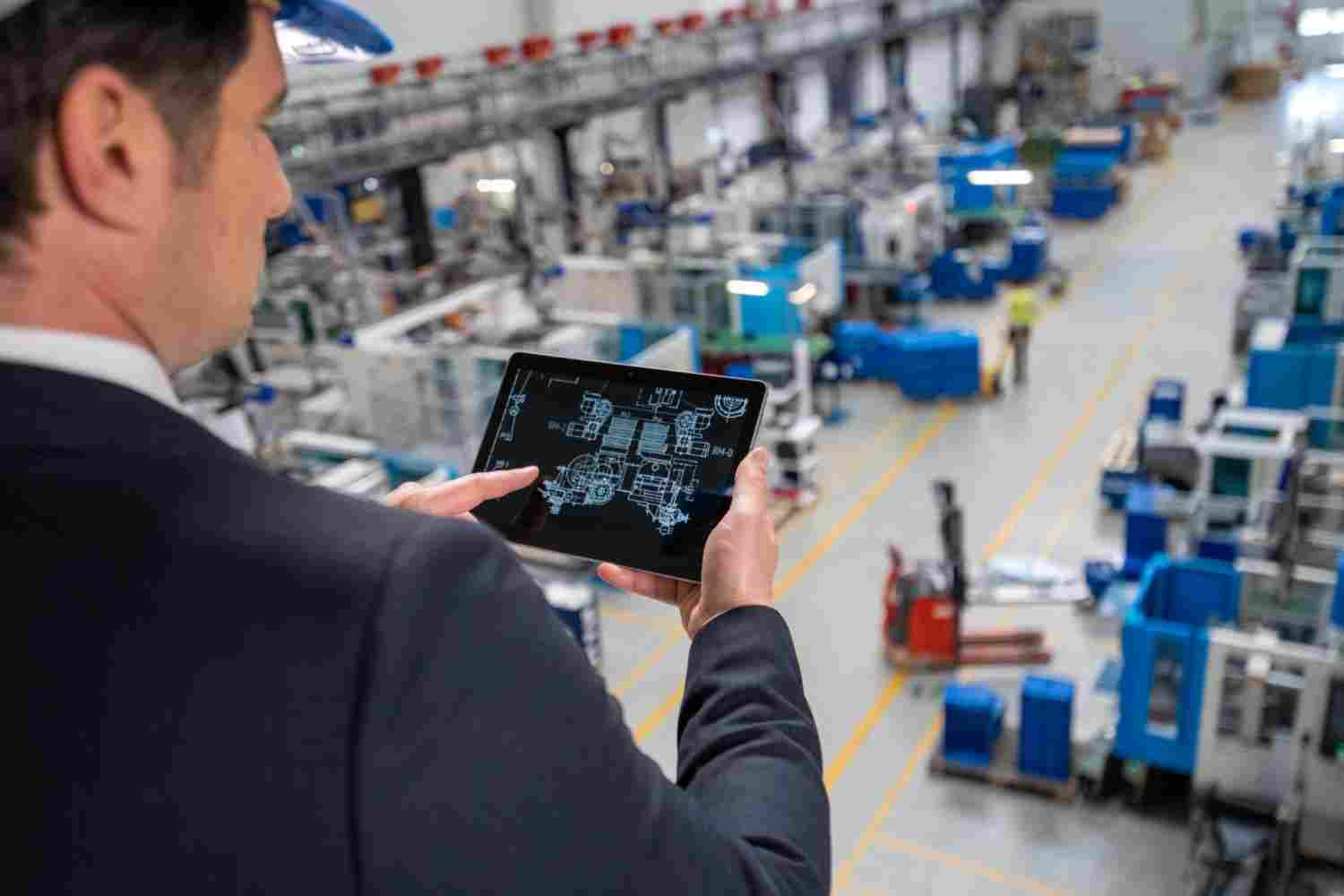
Operators will be using either a terminal in the production line, a tablet computer attached to a station on the production floor, or even a portable device to enter the data directly.
This is not the same as scanning paper documents and storing them in a folder. A paperless manufacturing process not only removes the paper but also redesigns the whole process of data entry, routing it to the correct person for approval, and maintaining the data permanently in an easily searchable form.
Paperless Manufacturing vs. Digitized Paperwork
Many businesses believe that they have achieved paperless systems since they scan filled forms at the end of their shifts. This is digital documentation and not paperless production. The difference is presented in the table below.
| Digitized Paperwork | True Paperless Manufacturing |
| Data entered on paper first, scanned later | Data entered digitally at the point of work |
| Errors caught after the fact, if at all | Validation rules catch errors as they’re entered |
| Records searched manually by date or batch number | Records searchable instantly by any field |
| Approvals happen by walking a form around | Approvals route automatically through a workflow |
| Historical data lives in filing cabinets or scanned PDFs | Historical data feeds dashboards and trend reports |
Why the Production Floor Paperless Transition Matters Now
The reason for shifting away from the use of paper does not simply revolve around efficiency; there are three key motivators which influence manufacturers.
Loss of productivity due to downtime has become costlier than ever. Manufacturers lose a staggering $50 billion annually because of unplanned downtime in the US alone, with a significant portion caused by a delay in receiving the appropriate documentation to the floor. Missing or misread paper travelers play a direct role in such production losses.
Regulatory and quality pressures have grown in recent years. Manufacturers who operate in industries covered under ISO 9001, FDA regulations, or any GFSI-recognized food safety programs are expected to implement digitized quality management procedures. The use of paper makes it more difficult to prove compliance in terms of process documentation when subjected to audits.
Tighter and more mobile labor force. Newly hired people have to become productive very soon, and it is difficult to achieve this with paper-based work instructions. Digital work instructions help minimize mistakes that new people can make in the first weeks of working on the line.
Why This Matters: What Paper Actually Costs a Production Floor
- Employees spend an estimated 1.8 hours per day looking for the information that they require to do their job, a waste of time that is almost completely eradicated by a paperless process
- Unexpected downtime in U.S. factories leads to losses of around $50 billion each year, with lost or delayed paperwork often being one of the causes
- The worldwide market for paperless manufacturing software is expected to have a CAGR of 10% to 15% from now until 2033, showing how quickly the industry is evolving in this area
- Regulatory requirements like FDA 21 CFR Part 11 have increasingly come to prefer digitized and auditable quality records to paper ones
The Benefits of Going Paperless on the Shop Floor
The benefits that will accrue from a paperless shop floor will be exponential. These are some of the important benefits.
- Lower error rates. The manual recording of information using hand-written notes or logbooks is one of the main causes of errors during transcription. With a paperless work order system, each entry made by an operator is checked and errors are therefore prevented at an early stage.
- Faster audits. When all records are digitized in a computerized database that has an internal audit trail, finding a particular batch record or approval process takes minutes, not hours of searching through folders in file cabinets.
- Real-time tracking. The management is able to know what is happening in real-time rather than after two days when paper travelers find their way into the offices and get filed.
- Lower error rates in setup. With a computerized work instruction system with pictures and video clips, it is easier to set up equipment without errors.
- Improved version control. The paperwork process becomes quickly obsolete, and employees often use an out-of-date version unknowingly. An online system with effective version control ensures that everybody accesses the most recent, approved version.
- Reduced expenses in the long term. All the resources required for printing, storage, and management of paperwork result in considerable savings of manufacturers who automate these processes during the first year of implementation.
Types of Paperless Manufacturing Systems
Not every paperless factory software solution does the same job. Understanding the categories helps you figure out what your plant actually needs.
| System Type | What It Handles | Best For |
| Manufacturing Execution System (MES) | Real-time production tracking, scheduling, and machine data | Plants needing tight production control and OEE tracking |
| Electronic Work Order Systems | Digital work orders, routing, and task assignment | Replacing paper travelers on the floor |
| Document Control Platforms | SOPs, work instructions, revision history, approvals | Ensuring the correct procedure version reaches every station |
| Quality Management Systems (QMS) | Inspection checklists, non-conformance tracking, CAPA | Meeting audit and compliance requirements |
| Electronic Batch Records (EBR) | Batch-level production and quality documentation | Regulated industries like food, pharma, and life sciences |
Many manufacturers start with one category, usually document control or work orders, and expand from there as the team gets comfortable with digital workflows.
How to Plan a Production Floor Paperless Transition
A rushed transition creates more problems than it solves. Here is a practical, phased approach.
Step 1: Document Your Existing Paper Processes
The first thing you need to do before making any changes is document what processes involving paper are in place right now. Where does a work order start? Who authorizes it? Where does it go? The result of this exercise is that many steps in the process will turn out to be unnecessary, not merely digitized.
Step 2: Identify High-Risk Areas
Paper processes have varying degrees of importance. You should start by tackling those paper processes where mistakes can cost a lot and involve the highest risk, e.g., quality inspections and SOP/policy documents governed by regulations.
Step 3: Find the Correct Paperless Manufacturing Software
Search for a solution that suits the way your shop floor really works rather than trying to make your shop floor fit the software. Features to search for include:
- Compatibility with mobile devices, such as tablets, to allow for usage directly at workstations
- Automation of document approval to ensure documents are not pending a signature
- In-built version control to prevent outdated processes from being implemented
- Real-time dashboards for supervisors and quality managers
- Compatibility with your current systems, such as an ERP system or manufacturing document control system
Step 4: Test Before Expanding
Test the new system on one production line or one family of products. This will allow you to find any gaps in the process flow and to collect input from your operators before implementing it across your entire facility.
Step 5: Train for Adoption, Not Just Compliance
Those operators who know why the system is good for them will adopt it more quickly than those who are just told they must use it. Tailor the training to fit your actual processes on the shop floor, rather than software training that applies to many processes.
Step 6: Measure, Refine, Expand
Keep track of adoption, error rates, and cycle times before and after implementation. Use this information to improve and expand into other areas of the plant.
Paperless Manufacturing Best Practices
| Best Practice | Why It Matters |
| Start with a single high-impact workflow | Builds momentum and proves value before a full rollout |
| Involve floor operators in system selection | Frontline staff spot usability problems management often misses |
| Automate approval workflows | Removes bottlenecks caused by documents waiting for a signature |
| Keep a full audit trail | Protects you during quality audits and regulatory inspections |
| Standardize digital work instructions across shifts | Prevents shift-to-shift variation in how tasks are performed |
| Review and retire outdated SOPs during the switch | Prevents digitizing broken processes instead of fixing them |
Common Mistakes in a Paperless Manufacturing Transition
| Mistake | Consequence | Fix |
| Digitizing paper forms without redesigning the workflow | Keeps inefficiencies, just in digital form | Map and streamline the process before building digital forms |
| Rolling out plant-wide without a pilot | Small workflow gaps become large-scale disruptions | Pilot on one line first, then expand |
| Ignoring operator input during selection | Low adoption, workarounds, and shadow paper systems | Involve floor staff early in the evaluation process |
| No plan for offline or connectivity gaps | Production stalls if the network goes down | Choose software with offline capability for critical stations |
| Skipping training beyond the basics | Operators use only a fraction of the system’s capability | Invest in scenario-based training tied to real floor tasks |
Paperless Manufacturing Consultants and Services: Do You Need One?
In-house implementation can work for some manufacturers, especially the smaller ones with simpler systems. Some of the larger ones and those with stricter regulations hire paperless manufacturing consultants and paperless manufacturing services firms for helping with mapping, selecting the appropriate software, and change management.
You might want to consider hiring a consultant if:
- You have a very strict regulatory environment at your plant where errors may cost you in terms of compliance
- You have several plants with similar processes
- You do not have the staff to run the plant along with implementing the system
If your staff can manage and your processes are contained enough, a good software platform and an internal roll out as outlined above will suffice.
Final Thoughts
The paperless transition on a production floor is not meant to get rid of paper just for the sake of it. The paperless transition aims at providing your people with information they require, at the exact moment they require it, as well as a solid audit trail whenever the need arises.
Manufacturers who plan out the transition in phases, engage their floor operators and pick up appropriate software experience the benefits sooner in the form of fewer errors, quick audits and operations based on data and not assumptions.
If your people are still using manual documentation for recording work orders and quality control processes, you should consider changing this as soon as possible. Set up a demo with Document Compliance Network and learn how an integrated floor documentation process can help you transform your facility.
FAQs About Production Floor Paperless Transition
Q1. What exactly is a paperless transition on the production floor?
Ans: It is the replacement of paper forms, like work orders, inspection sheets and SOPs, with computerized tools that capture information at the source of action and automate approvals while creating an audit trail of all actions in the production floor.
Q2. How long does it take to make the production floor paperless?
Ans: There is no set timeline since it varies from one factory to another, but an incremental implementation that starts with a pilot in one production line will take a couple of months before achieving production readiness, then some more time to scale across the entire plant.
Q3. Is paperless manufacturing for large factories only?
Ans: No. More and more small-to-medium manufacturers are now adopting cloud-based paperless manufacturing systems as opposed to expensive and hard-to-install on-premise solutions that used to dominate the market.
Q4. What is the difference between paperless manufacturing and a Manufacturing Execution System (MES)?
Ans: MES is one form of paperless manufacturing system, but this system is aimed at the tracking of production in real time and its planning. Paperless manufacturing is the general term for document management, quality assurance, and electronic work order systems.
Q5. Is paperless manufacturing more compliant?
Ans: Yes. Digital processes generate a complete and time-stamped audit trail that is much simpler to prove in an audit compared to collecting paper records, plus the risk of following an old or unauthorized version of the procedure is significantly reduced.
Q6. What is the most significant risk of moving to paperless?
Ans: Most often, the risk is the digitization of an inefficient process. It can be avoided by mapping and optimizing the workflow before developing digital forms.
- [post_views]
- 0 Comments